
Last year, we introduced paperless first when we send your member statement and important information about your account.
This October, we're giving you another way to keep track of your account - with our online member statement summaries.
What is an online statement summary?
Your online statement summary is an interactive, visual summary of your account. It's a quick and easy way for you to see the highlights of your member statement, at a glance.
You'll be able to access your statement summary on your desktop, tablet and mobile devices, at a time and place that suits you.
Your full statement will still be available in Member Online, so you can read more details on your account and other important information you need to know.
How to register to receive a statement summary
If you're registered for electronic statements and we have your current email address before Friday, 28 June 2019, you'll receive an online statement summary with your full member statement from October.
Otherwise, you'll receive your full statement in the mail - but you won't receive a statement summary.
To check and update your communication preferences and email address, you can either:
- Log into Member Online and go to the 'Personal details' page
- Use our Live chat service
- Call us on 13 43 72 between 7.30am-5.30pm (AWST), Monday to Friday
Please note, any changes you make after 28 June won't take effect until your next statement period.
Here's how your statement summary will work
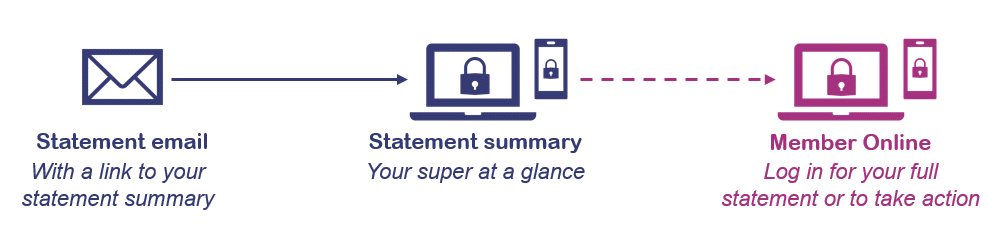
- You'll receive your statement email
If you're registered for eStatements, we'll email you as usual when your electronic member statement is ready in Member Online. This statement email will now also include a personalised link to your statement summary. Please keep this email in a safe place, as you'll need your link to access your statement summary later. - Follow the link in your statement email
After you click the link, you'll be taken to statements.gesb.wa.gov.au, a secure area of our website. - Confirm your identity to access your statement summary
Once you have confirmed a few details, your statement summary will appear with your balance and other key information relating to your account as at 30 June.
If you have more than one account, you'll be able to access statement summaries for your other accounts through the menu at the top of the page. You'll also be able to access your full member statement, as well as other useful tools and information, from your statement summary.
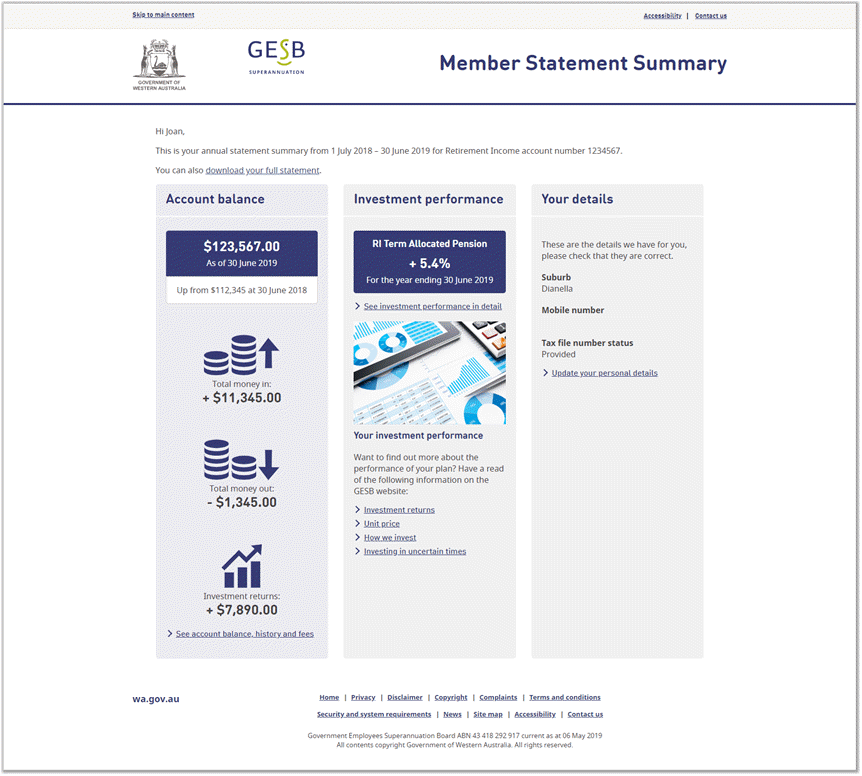
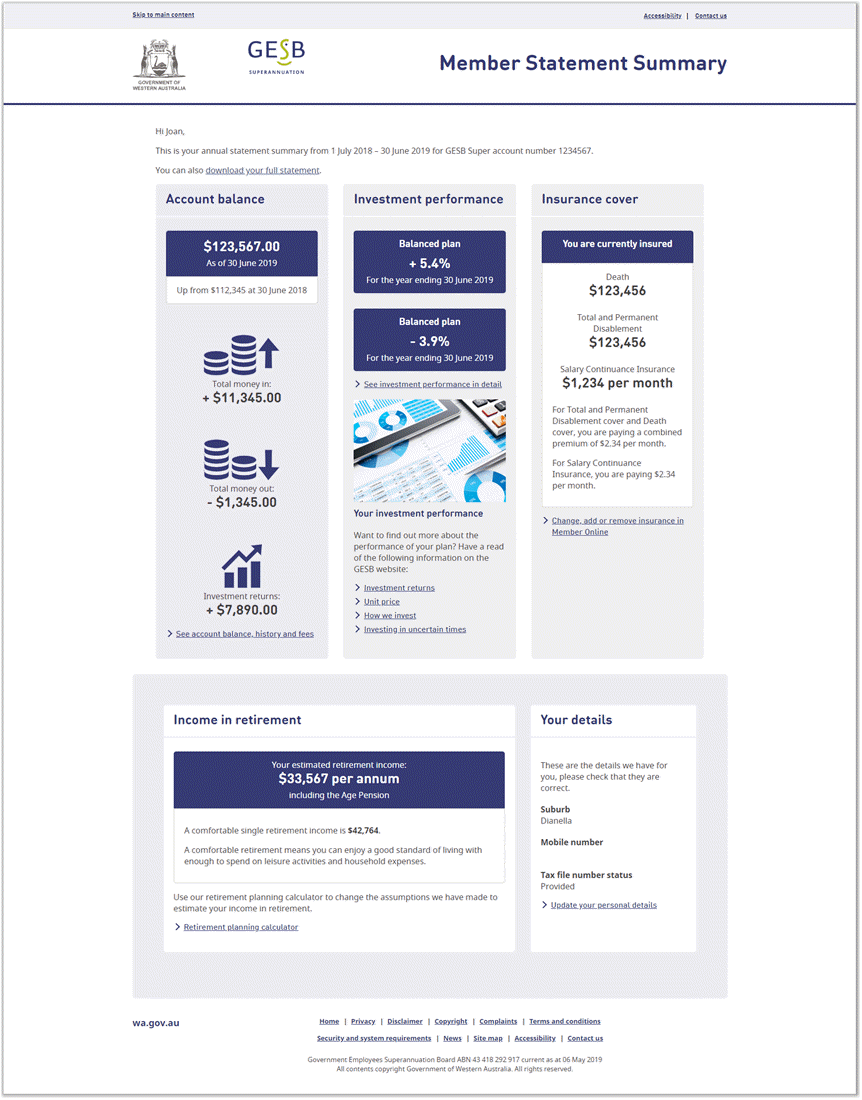
Here's an example of how your statement summary might look
Please note, all images are for visual purposes only and may differ from the information in your actual statement summary.
Retirement Income Pension statement summary
GESB Super/West State Super statement summary
Gold State Super statement summary
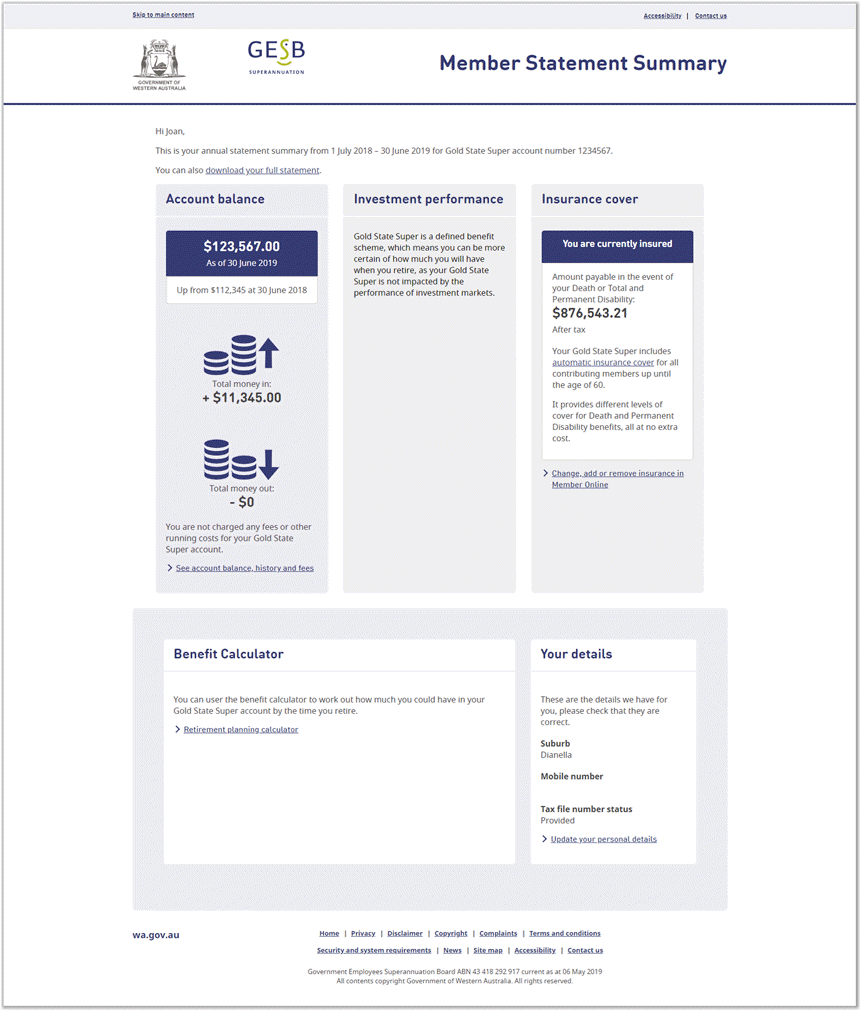
Your statement summary only allows you to see your account details. If you want to make any changes, such as switching your investment plan or updating your personal details, you'll need to log into Member Online.
Your security is extremely important to us
Here are some important things to know about the security of your statement summary:
- To help prevent unauthorised access to your information, your statement summary will be permanently locked after five unsuccessful login attempts
If this happens, you'll need to log into Member Online to view your full statement. - We use up-to-date security measures to help protect your personal information when you access your statement summary, our website and Member Online
- While you can be confident using our online services, email scams are becoming more common - so it's important to take steps to protect yourself when using the internet and email
You might like to read our article for practical tips on how you can avoid email scams and use email safely.
Thank you for printing this page. Remember to come back to gesb.wa.gov.au for the latest information as our content is updated regularly. This information is correct as at 22 August 2026.