
Where can I find information about my insurance?
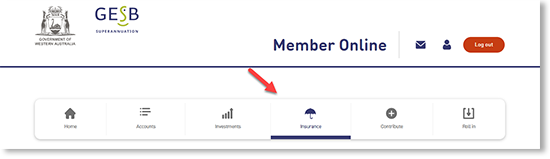
Once you’ve logged in to Member Online, visit the ‘Insurance’ page.
You can see your occupation category and details of your cover . You could have the following types of insurance:
- Death (including terminal illness) cover
- Total and Permanent Disablement (TPD) cover
- Salary Continuance Insurance (SCI) cover
For each type of insurance you have, you can see what is covered, your sum insured and your monthly premium. If you don’t have insurance as part of your account, you’ll see ‘You have no cover’ next to that type of insurance.
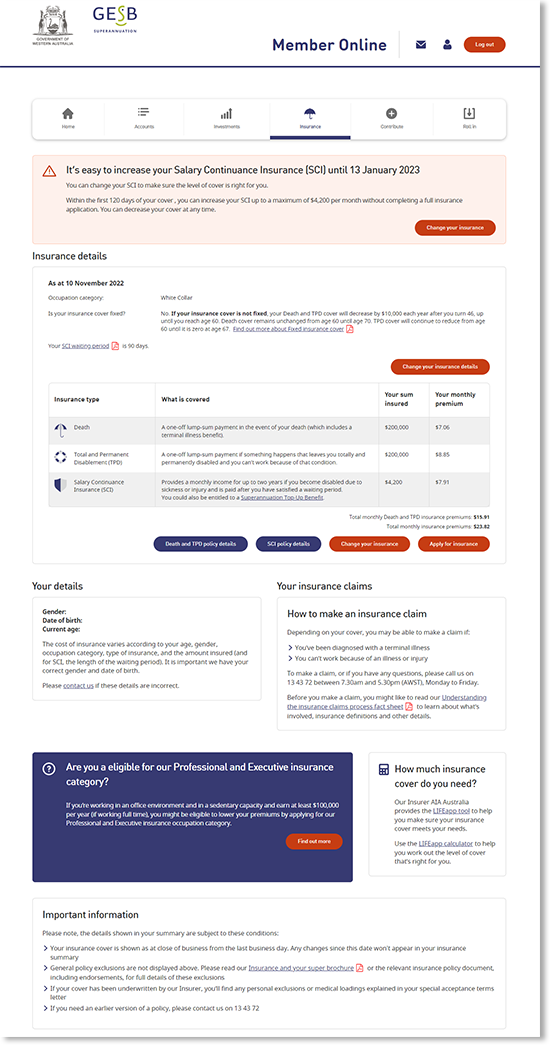
From this section of Member Online, you can also see links to the insurance Policies, apply for insurance cover or change your insurance.
Thank you for printing this page. Remember to come back to gesb.wa.gov.au for the latest information as our content is updated regularly. This information is correct as at 23 August 2026.